🌐 Networking for DevOps – Interview Scenario Q&A (In-Depth)
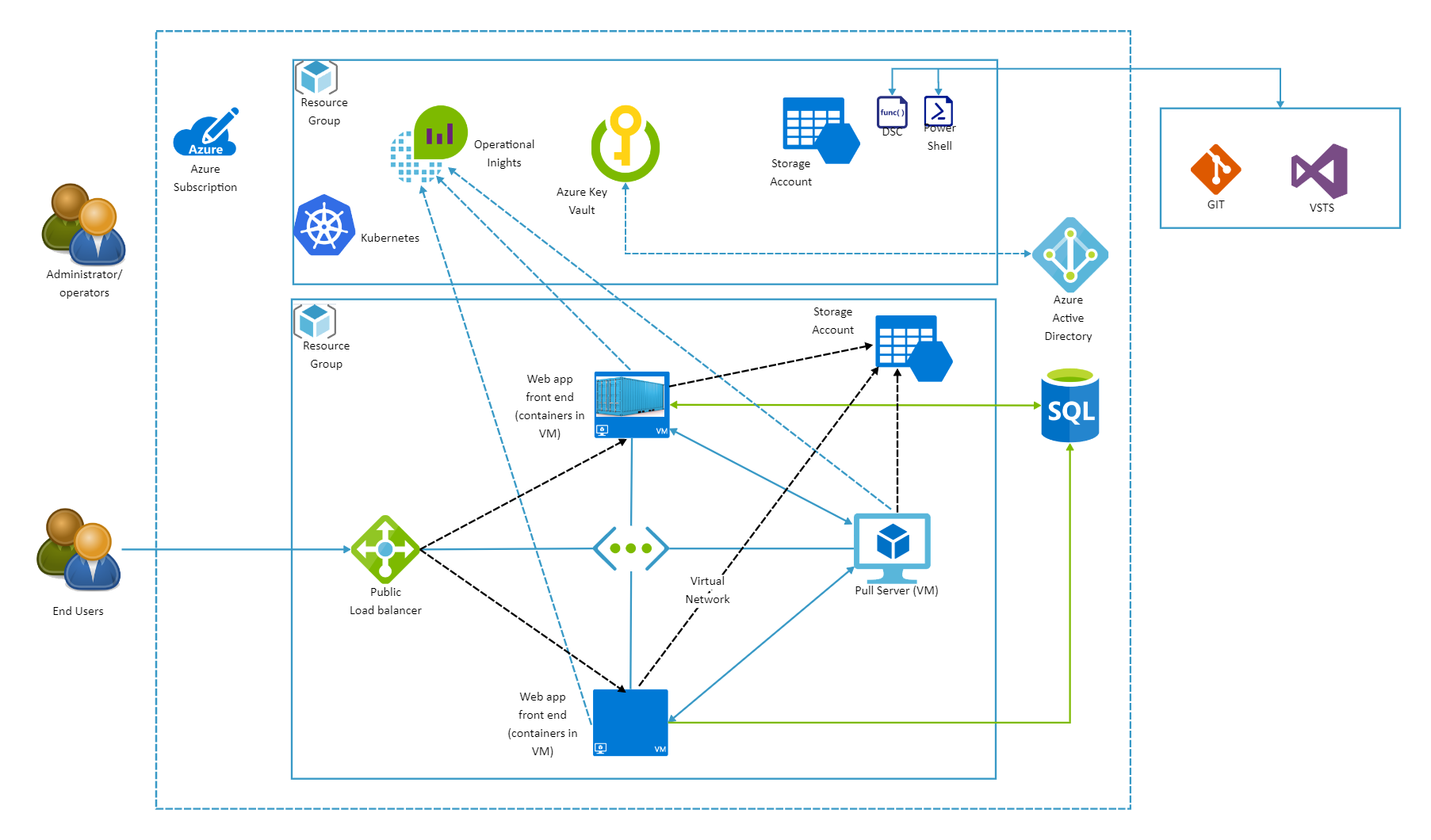

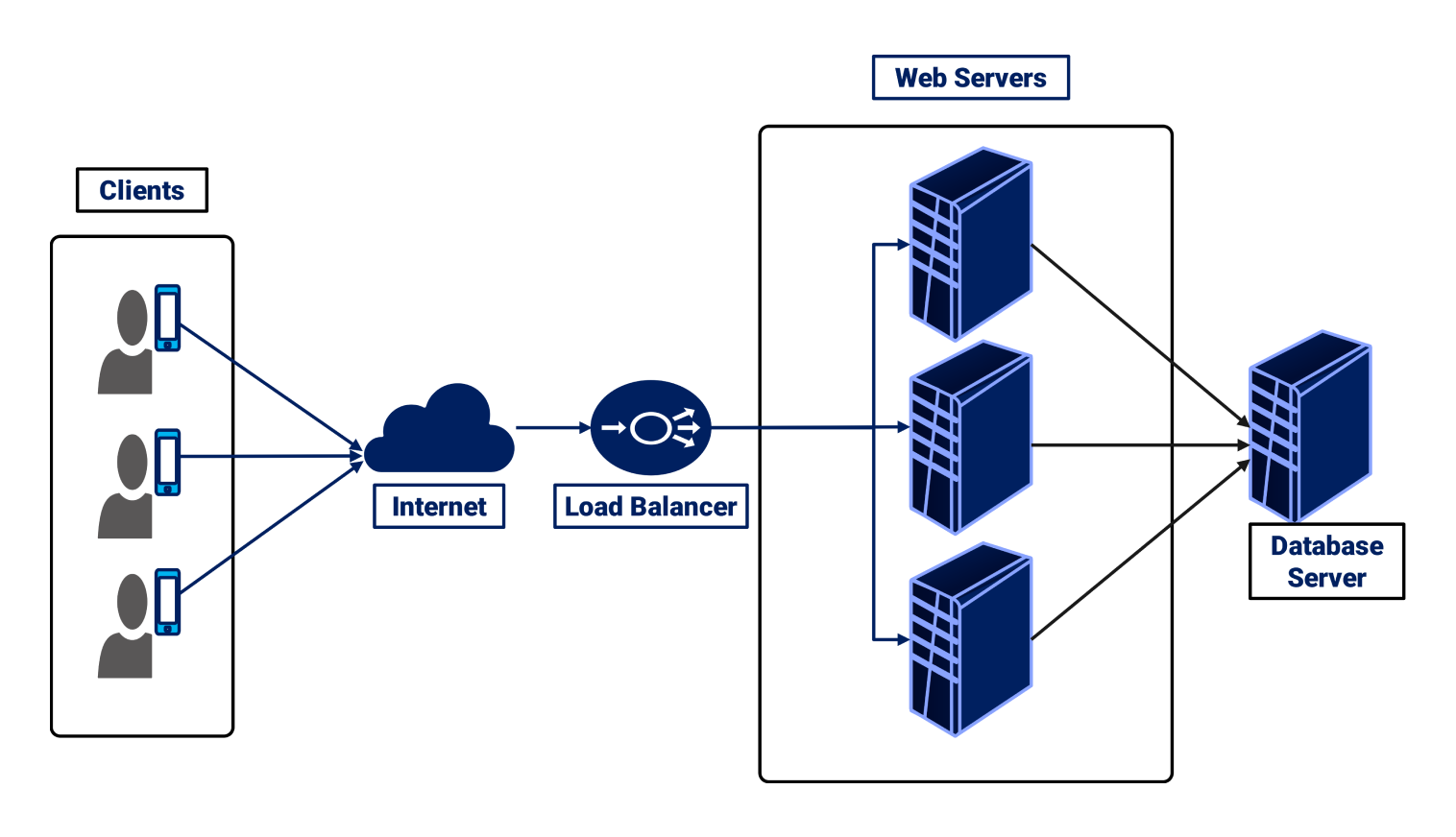
1️⃣ Scenario: Website is Not Reachable From Browser
Question:
Your application is running on a server, but users cannot access it from the browser. How will you troubleshoot?
✅ Step-by-Step Answer (Interviewer Loves This)
- Check DNS Resolution
nslookup example.com
dig example.com
- If DNS fails → Domain not mapped correctly
- Check Network Connectivity
ping example.com
traceroute example.com
- Identifies where the packet is dropping
- Check Port Accessibility
telnet example.com 80
nc -zv example.com 443
- Check Firewall / Security Groups
- Linux firewall:
sudo iptables -L
sudo ufw status
- Cloud SG/NACL rules
- Check Application Binding
ss -tulnp | grep 80
- App must bind to
0.0.0.0, not127.0.0.1
- Check Load Balancer (if any)
Health checks
Target group status
👉 Conclusion:
Networking issue could be DNS, firewall, port binding, or load balancer misconfiguration.
2️⃣ Scenario: Application Works Locally but Fails in Production
Question:
Your app works on localhost but fails after deployment. Why?
✅ Possible Reasons
| Cause | Explanation |
| Binding issue | App listens on localhost instead of public IP |
| Firewall | Production blocks inbound traffic |
| Wrong port | App exposed on 8080 but LB expects 80 |
| NAT issue | Private subnet has no internet gateway |
| Proxy issue | Corporate proxy blocks outbound traffic |
🔍 Debug Commands
curl localhost:8080
curl server-ip:8080
3️⃣ Scenario: Kubernetes Pod Cannot Reach External Internet
Question:
A pod inside Kubernetes cannot access external APIs. What could be wrong?
✅ Root Causes
No NAT Gateway
- Pods in private subnet need NAT for outbound internet
Network Policies Blocking Traffic
kubectl get networkpolicy
- DNS Issue
kubectl exec pod -- nslookup google.com
- CoreDNS Not Working
kubectl get pods -n kube-system
- Security Group Rules
- Node SG must allow outbound traffic
👉 DevOps Insight:
Kubernetes networking depends heavily on cloud VPC + CNI plugin.
4️⃣ Scenario: High Latency in Application
Question:
Users complain about slow response times. How do you troubleshoot networking?
✅ Investigation Flow
- Check Latency
ping server
- Check Packet Loss
mtr example.com
- Check Load Balancer
- Uneven traffic distribution
- Check MTU Mismatch
- Common in VPN / container networking
- Check TLS Handshake Time
curl -w "@curl-format.txt" -o /dev/null -s https://example.com
5️⃣ Scenario: SSH Connection Refused
Question:
You cannot SSH into a server. What will you check?
✅ Checklist
- Correct Port
ssh user@ip -p 22
- Firewall Rules
iptables -L
- SSH Service Status
systemctl status sshd
- Security Group
- Port 22 allowed from your IP?
- Fail2ban Blocking IP
sudo fail2ban-client status
6️⃣ Scenario: Load Balancer Shows Targets as Unhealthy
Question:
ALB/NLB shows unhealthy instances but app is running.
✅ Common Reasons
Health check path incorrect (
/health)App returns
403or500Wrong port mapping
Firewall blocks LB IP range
👉 Fix
curl http://instance-ip:port/health
7️⃣ Scenario: CI/CD Pipeline Cannot Access Server
Question:
Your GitHub Actions/Jenkins cannot deploy to server.
✅ Debug Steps
Whitelist CI IP range
Check outbound rules
VPN or Bastion Host required?
SSH key mismatch
8️⃣ Scenario: Microservices Cannot Talk to Each Other
Question:
Service A cannot reach Service B.
✅ Possible Causes
Wrong service name (DNS)
Network policy blocking
Wrong port exposure
mTLS misconfiguration
curl http://service-b.namespace.svc.cluster.local
9️⃣ Scenario: Public IP Changed After Restart
Question:
Your server IP changes after restart. Why?
✅ Explanation
Using dynamic public IP
Fix by:
Elastic IP (cloud)
Load balancer
DNS instead of IP
🔟 Scenario: Zero-Downtime Deployment Networking Role
Question:
How networking helps zero-downtime deployment?
✅ Concepts Used
Load balancer health checks
Blue-Green deployment
Canary routing
DNS TTL control
🔥 MUST-KNOW COMMANDS (Interview Rapid Fire)
ip a
ip route
ss -tulnp
netstat -rn
tcpdump -i eth0
curl -I
traceroute
nslookup
dig
🧠 Interviewer Bonus Tip
When answering:
❌ “It’s a networking issue”
✅ “I’ll verify DNS → connectivity → port → firewall → application binding”
This structured thinking is what interviewers want from DevOps engineers.